




























Your server, your tribe
Create up to 3 servers, invite with revocable links. Each server has its own shared progression.
 Palworld Companion Guest Sign in with Discord Sign in
Palworld Companion
Create your server, invite your friends: catches, tech and effigies sync from your server's save, every 6 hours.
Sign in with Discord Try without an accountFree and open source. Discord sign-in, up to 3 servers per account.
Create up to 3 servers, invite with revocable links. Each server has its own shared progression.
Who caught what, at a glance: stats, passive skills and breeding.

Breeding calculator: which child two parents produce, which parents reach a target Pal, and the shortest path to get there.

Build and share Pal teams: passives, skills and loadouts, theorycrafted with your tribe.

Effigies, alpha bosses and fast travel points, checked off together.

The full in-game tree, with everyone's real progression.
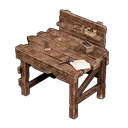
Recipes, materials and crafting chains, all linked together.

Connect your server's SFTP in the settings: the save is imported every 6 hours, everything ticks itself off.

No dedicated server? Upload your local (co-op) save folder straight from your PC, right in the browser.
Sign in with Discord, nothing else to create. Create your server or join a friend's through their invite link.
Generate an invite link (optional expiry and max uses, revocable at any time). Everyone then claims their in-game character in one click.
Optional: add your dedicated server's SFTP in the settings. Encrypted credentials, auto-detected world folder, import every 6 hours.
Yes. No subscription, no ads. The project is open source under the GPL-3.0 license.
A Discord account, that's it. Create your server, invite your friends and track progress together. Automatic import is optional.
Any dedicated server reachable over SFTP. The world folder is detected automatically; you can also set it manually.
Only the members of your server. Each server is isolated: nothing is shared across servers, nor with third parties.
They are encrypted (AES-256-GCM) before being stored, never displayed back, visible to no member, and you can delete them at any time.
Up to 3 per account. You can however join as many servers as you like through invites.
Yes: the code is GPL-3.0. Clone the GitHub repo and follow the README's self-hosting guide.
Yes. Without SFTP, you can manually upload your local or co-op save folder from your PC, right in the browser.
Palworld Companion is free and open source. Prefer full control? Clone the repo, plug in your Postgres database and Discord app, and run your own instance. The full guide is in the README.
View on GitHub